
From Fundamentals to Professional Specialisation: The Expert-Curated Resource Guide
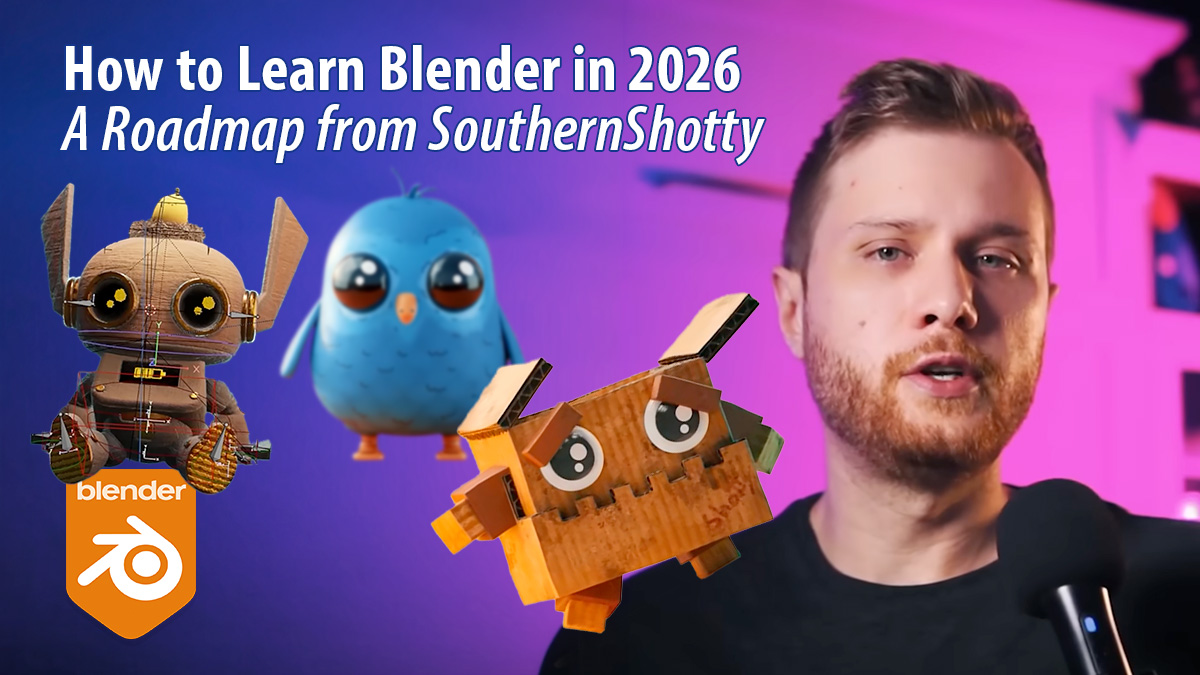
Learning Blender can feel like standing at the base of a mountain with no clear path to the summit. In his latest YouTube video, SouthernShotty breaks down the journey into a logical progression. This roadmap presents a Blender learning journey that starts with fundamentals and then branches into specialised areas, highlighting the specific creators and resources that define the 2026 Blender landscape.
Watch the SouthernShotty’s video
1) Basics
CG Cookie
SouthernShotty presents CG Cookie as one of the strongest structured starting points for beginners. It is worth studying because it teaches Blender in a clear, course-led way rather than through scattered tips.
- BLENDER BASICS: An Introduction to Blender 3D 4.5 LTS — Paid
- Human: Realistic Portrait Creation with Blender — Paid
- Learn Blender From Scratch in 2026 | The Best Way to Start 3D – YouTube tutorial — Free
- Creating Realistic Portraits with Blender – HUMAN – Course Trailer – YouTube tutorial — Free
Blender Guru
SouthernShotty includes Blender Guru because the Donut series is still one of the best-known beginner entry points. It is worth watching for a hands-on introduction that walks people through Blender from zero.
SouthernShotty
SouthernShotty includes his own courses as part of the beginner route, especially for learners who like a direct, modern teaching style. They are worth studying for practical workflows and a beginner-friendly pace.
- SouthernShotty on Skillshare — Paid
2) Motion Graphics
Ducky 3D
SouthernShotty positions Ducky 3D as one of the key motion graphics teachers in Blender. He is worth studying because he makes stylish, modern motion work approachable and gives beginners a strong route into design-led animation.
- Intro to Motion Graphics Blender Course — Paid
- Simple Grid Animation in Geometry Nodes (Blender Motion Graphics Tutorial) – YouTube tutorial — Free
- How To Make Simple Animations Look Amazing in Blender (Blender Tutorial) – YouTube tutorial — Free
- How to Learn Motion Graphics in Blender 2025! – YouTube tutorial — Free
- Intro to Motion Graphics Blender course with Ducky 3D now streaming on CG Cookie! – YouTube tutorial — Free
Derek Elliott
SouthernShotty recommends Derek Elliott as another strong motion graphics and product-visual creator. He is worth following because his work is clean, commercial, and useful for people who want attractive client-ready Blender output.
- Derek Elliott – YouTube channel — Free
- Product Animation in Blender: Phone – YouTube tutorial — Free
3) Free Tool
MoGraph Toolbox Free Motion Array System
SouthernShotty singles this out as a genuinely useful free extra for motion graphics work. It is worth exploring because it can speed up common array-based setups and make motion design workflows much easier.
4) Sculpting
Grant Abbitt
SouthernShotty includes Grant Abbitt as a very accessible entry point into sculpting. He is worth studying because he explains fundamentals plainly and helps beginners build confidence before moving into more advanced character work.
Ryan King Art
SouthernShotty recommends Ryan King Art as a beginner-friendly sculpting teacher. He is worth watching because his tutorials are practical, approachable, and good for learners who want guided projects without too much complexity at once.
- Sculpting for Complete Beginners! (Blender Tutorial) – YouTube tutorial — Free
- Sculpting a Cute Character in Blender for Complete Beginners – YouTube tutorial — Free
Keelan Jon
SouthernShotty points to Keelan Jon for stylised sculpting guidance. He is worth studying because his teaching helps learners move from raw sculpting tools into more characterful and appealing stylised forms.
CG Boost
SouthernShotty presents CG Boost as a deeper, more structured next step for sculpting and cinematic work. It is worth studying because it offers full-course training for people who want more than isolated free tutorials.
- Master 3D Sculpting in Blender — Paid
- Master Cinematic Storytelling in Blender — Paid
- Master 3D Sculpting in Blender – CG Boost Academy — Paid
- Master Compositing in Blender – CG Boost Academy — Paid
- Master 3D Environments in Blender – Course Introduction – YouTube tutorial — Free
- Master Cinematic Storytelling in Blender | A look Inside #b3d – YouTube tutorial — Free
Martin Klekner
SouthernShotty includes Martin Klekner for learners interested in more cinematic and story-driven 3D work. He is worth following because he connects technical Blender skills with mood, environment, and visual storytelling.
5) Characters
SouthernShotty
SouthernShotty includes his own character content as part of this route. It is worth studying because it tends to make stylised character creation feel more achievable for beginners who want guided, start-to-finish projects.
- SouthernShotty – YouTube channel — Free
- 3D Cat – Blender Character Modeling for Beginners | Real-Time Tutorial – YouTube tutorial — Free
CrossMind Studio
SouthernShotty recommends CrossMind Studio for people who want to get into animated character creation. They are worth watching because they offer a more character-focused path that goes beyond simple modelling exercises.
Lacruzo
SouthernShotty includes Lacruzo for stylised low-poly character work. This is worth studying because it gives learners a simpler, more manageable character pipeline while still teaching strong design and modelling choices.
CG Cookie
SouthernShotty includes CG Cookie here again because it also offers strong character-learning resources. It is worth studying for learners who want a more structured, course-based route into character creation.
- CG Cookie creator page — Mixed
6) Texturing
Grant Abbitt
SouthernShotty recommends Grant Abbitt for texturing because his teaching is clear and beginner-friendly. He is worth studying if you want to understand texture painting without turning it into an overly technical barrier.
SouthernShotty
SouthernShotty’s own texturing picks focus on practical and stylised results. They are worth watching because they show approachable methods for making Blender work look more distinctive without an overly complex workflow.
- How PROS Texture: 3 Easy Methods! Blender 3D – YouTube tutorial — Free
- EASIEST way to Make Painterly Animations in Blender 3D (Procedural Shader) – YouTube tutorial — Free
7) Animation
Pierrick Picaut / P2DESIGN
SouthernShotty highlights P2DESIGN as a major recommendation for animation. It is worth studying because Pierrick Picaut is known for serious, high-level teaching that helps Blender animators move towards professional results.
- Pierrick Picaut / P2DESIGN – YouTube channel — Free
- Blender’s animation tool you should always use – YouTube tutorial — Free
- Alive! Animation Course in Blender — Paid
- The Art of Effective Rigging 2 — Paid
- Alive! Blender 3D biggest animation course announcement – YouTube tutorial — Free
- The art of effective rigging 2 in Blender – Course’s presentation video – YouTube tutorial — Free
SouthernShotty
SouthernShotty includes his own beginner animation tutorial as an accessible entry point. It is worth studying because it helps learners start animating in Blender without first needing an advanced character pipeline.
8) Rigging
Pierrick Picaut / P2DESIGN
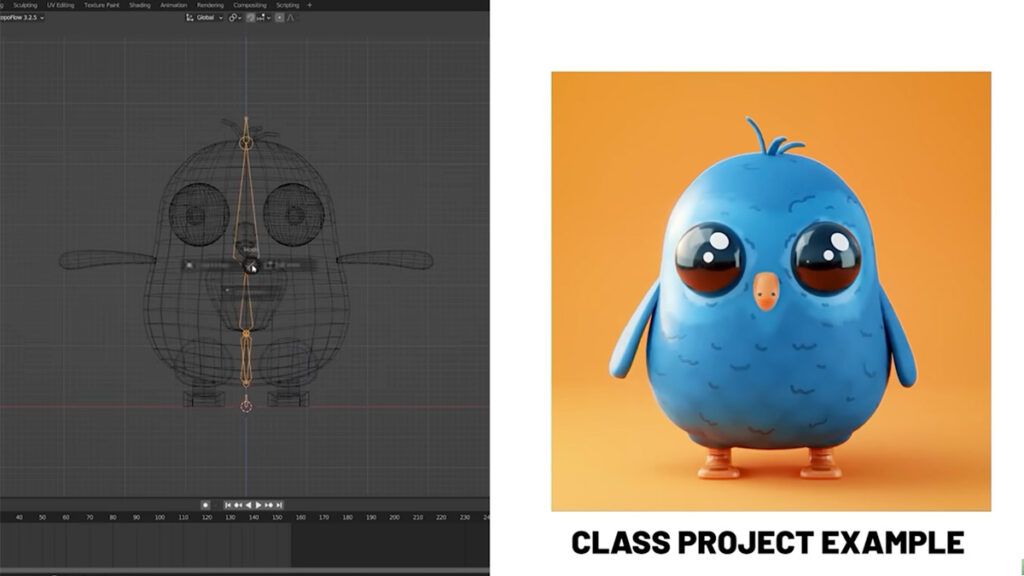
SouthernShotty again points to P2DESIGN for rigging because this is one of Pierrick Picaut’s strongest areas. It is worth studying for learners who want cleaner, more effective rigs that actually support good animation.
Dikko
SouthernShotty includes Dikko as a dedicated rigging teacher. He is worth following because he goes deep into the subject and is useful for learners who want to understand rigging properly rather than just copying shortcuts.
SouthernShotty
SouthernShotty’s own rigging recommendation works as a more approachable bridge into the topic. It is worth watching for learners who want a simpler introduction before diving into longer, more technical rigging series.
9) Geometry Nodes
CG Matter
SouthernShotty includes CG Matter as one of the central Geometry Nodes creators to learn from. He is worth studying because he makes procedural thinking more engaging and shows how powerful node-based workflows can be in Blender.
- CG Matter – YouTube channel — Free
- Thousands of objects, without a single intersection – YouTube tutorial — Free
Harry Blends
SouthernShotty recommends Harry Blends as part of the Geometry Nodes route. He is worth following because he helps learners stay current and makes newer procedural tools feel more usable and less intimidating.
- Harry Blends – YouTube channel — Free
- What’s New in Geometry Nodes in Blender 5.0 – YouTube tutorial — Free
Erindale
SouthernShotty includes Erindale for learners who want to go deeper with Geometry Nodes. He is worth studying because he is known for more thoughtful, advanced procedural teaching and a strong grasp of the system.
Ducky 3D
SouthernShotty recommends Ducky 3D here as well because his teaching overlaps strongly with procedural motion workflows. He is worth studying for artists who want Geometry Nodes to serve design, animation, and visual style.
10) Lighting
Kaizen
SouthernShotty points to Kaizen for lighting because presentation matters as much as modelling. Kaizen is worth studying for learners who want stronger mood, better scene readability, and more polished final renders.
- The Power of LIGHTING in Blender! – YouTube tutorial — Free
- Kaizen Tutorials – YouTube videos — Free
Creative Shrimp
SouthernShotty includes Creative Shrimp as a valuable lighting and realism resource. It is worth studying because it helps learners push Blender work beyond basic renders into more convincing, polished presentation.
- Creative Shrimp creator page — Mixed
- How to Render REALISM in Seconds with EEVEE | Blender 5 Course – YouTube tutorial — Free
11) Colour Management
Christopher 3D
SouthernShotty includes Christopher 3D to address washed-out colours and better colour handling. He is worth watching because colour management is often ignored by beginners, yet it can dramatically improve final image quality.
12) Honourable Mentions
Smeaf
SouthernShotty includes Smeaf as a bonus creator worth following after the main roadmap. He is worth watching because he offers ideas, observations, and Blender-focused content that can broaden how learners think about the software.
Joey Carlino
SouthernShotty adds Joey Carlino as an extra creator worth knowing. He is worth studying because his content can help learners think more clearly about workflow, creativity, and building better habits in Blender.
Blender Secrets
SouthernShotty includes Blender Secrets as a useful ongoing learning resource. It is worth following because short, focused tips can steadily improve everyday Blender use without requiring a full course commitment.
Ask NK
SouthernShotty adds Ask NK as another creator worth keeping an eye on. It is worth watching because the channel can help learners pick up extra techniques and broaden their Blender toolkit over time.
- Ask NK – YouTube tutorial — Free
CG Geek
SouthernShotty includes CG Geek among the bonus recommendations because he remains a popular Blender educator. He is worth studying for accessible project-based learning and broad enthusiasm around making things in Blender.Everyone Said I Sucked.. So I Animated THIS (oops) – YouTube tutorial — Free

Keep following these creators and studios
To really grow in Blender, keep following these artists and studios. You learn best from masters and industry professionals who share proven workflows, strong creative judgement, and real production experience.
CG Cookie
Official website · YouTube · Instagram
Blender Guru
Official website · YouTube · Instagram · ArtStation
Ducky 3D
Derek Elliott
Official website · LinkedIn · YouTube
Grant Abbitt
LinkedIn · YouTube · ArtStation
Ryan King Art
Keelan Jon
Official website · LinkedIn · YouTube · Instagram
CG Boost
Official website · LinkedIn · YouTube · Instagram
Martin Klekner
LinkedIn · Instagram · ArtStation
CrossMind Studio
Official website · LinkedIn · YouTube · Instagram
Lacruzo
Pierrick Picaut / P2DESIGN
LinkedIn · YouTube · Instagram · ArtStation
Dikko
YouTube · Instagram · ArtStation
CG Matter
Harry Blends
Erindale
Kaizen
Creative Shrimp
Christopher 3D
Smeaf
Joey Carlino
Official website · YouTube · Instagram
Blender Secrets
Official website · YouTube · Instagram